
Connect to Exchange Online PowerShell Using MFA means connecting to Microsoft 365 Exchange Online through PowerShell while using your normal Microsoft sign-in and MFA verification.
Why we use it?
Exchange Online PowerShell allows administrators to perform tasks that are easier or faster through commands, such as:
- Manage mailboxes and users
- Check mailbox settings
- Manage distribution groups
- Configure email forwarding
- Check mailbox permissions
- Review Exchange Online configuration
How MFA works
With modern Exchange Online PowerShell, you don’t put your password directly into the PowerShell command.
You need to download Exchange Online MFA module through Microsoft, follow the below steps.
1.Login to Exchange Admin Center using Internet Explorer or Edge.
2.In the EAC, go to Hybridand click the Configure button (as mentioned in below image) to download the Exchange Online PowerShell Module for MFA.

Note: A browser that uses ClickOnce to download (like IE or Edge) is needed to download otherwise you will get an error during installation
3.Click Install.

Connect Exchange Online PowerShell Using MFA
Connect-EXOPSSession used to connect to Exchange Online with MFA
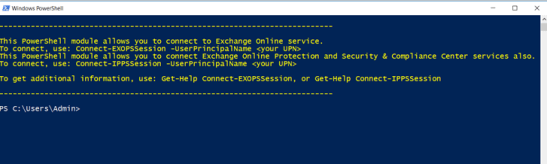
Connect-EXOPSSession -UserPrincipalName admin365@Novelspub.comEnter the password in the sign-in window and then click Sign in.

A verification code generated and delivered based on MFA configured for your account. Enter the verification code in the verification window and then click Sign in.

Benefits of Connecting to Exchange Online PowerShell Using MFA
- Improved Security: MFA adds an extra layer of protection to your Microsoft 365 account.
- Secure Remote Access: Safely manage Exchange Online from anywhere.
- Easy Administration: Quickly manage users, mailboxes, groups, and permissions using PowerShell commands.
- Automation: Perform repetitive Exchange tasks efficiently using PowerShell scripts.
- Better Control: Access advanced Exchange settings that may not be available in the Microsoft 365 Admin Center.
How to Assign Microsoft 365 Licenses in 2026